You have an idea, open your editor, and face the familiar question: where do I start? Claude Code can help you work through that process. For me, it becomes much more useful when you move from “build me an app” to small goals, clear instructions, and results you can check.
I will use a small app as our thread: Taskboard, a board for adding tasks, marking them complete, and filtering them. The example uses Next.js and TypeScript, but the workflow also suits a personal website, an API, or a command-line tool. New to this? Follow the steps. Already shipping software? Keep the cheatsheet and adapt the templates.
Two ways to read: work through the guide beside your project, or jump to the downloadable kit and command reference. The examples are original; Claude Code features link to the official documentation. Reviewed on 2 November 2026.
01. From an idea to a first session
Claude Code is a development tool that can explore a repository, propose changes, and use tools during a session. Here we will use the terminal. Your working directory matters: it gives the conversation its starting point. Follow the official quickstart for installation and sign-in on your platform.
For an existing repository, open its directory. For a new project, first prepare an empty folder. Then run this in your terminal:
claude --permission-mode planInside Claude Code, start with a discovery request:
I want to build Taskboard, a personal task board.
Inspect this directory and explain what exists, what is missing,
and what the first useful delivery should be. If it is empty,
propose a Next.js, TypeScript, and Tailwind structure.
Do not implement anything yet.
Plan mode lets you investigate before implementation; you can also enter it with /plan during a session. Review the plan, settle open decisions, then switch to a mode that permits edits when you are ready to build. Planning workflow reference.
You do not need every extension on day one. Use this selector to find the building block that fits your current need:
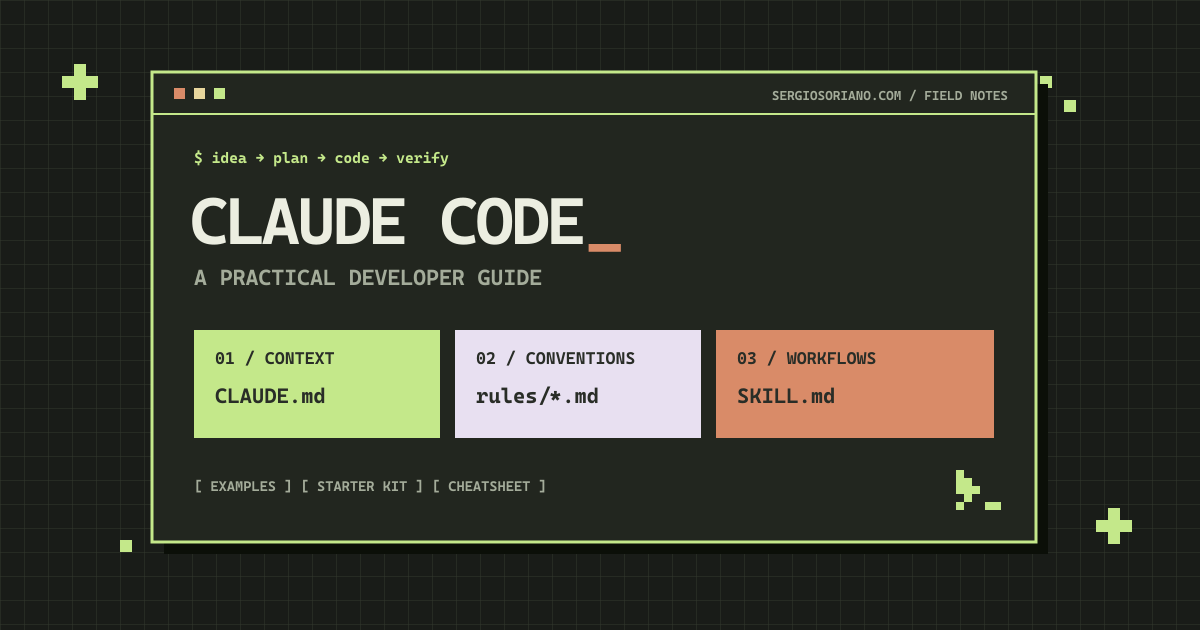
Quick map: CLAUDE.md provides project context; rules organise conventions; skills describe procedures; hooks respond to events; subagents focus on tasks; MCP connects external tools.
02. Ask for something you can check
“Build a beautiful task manager” leaves too many decisions open. A useful brief describes what someone should be able to do and where this delivery ends. Three concrete examples can provide more direction than a page of adjectives.
Try goal + context + boundaries + acceptance criteria. This is my working template for the example:
Goal: create the first version of Taskboard.
Context: Next.js App Router, TypeScript, and Tailwind.
Scope: one screen; in-memory data; no accounts or server.

Acceptance criteria:
1. I can create a task with a non-empty title.
2. I can mark it complete and make it pending again.
3. I can filter all, pending, and completed tasks.

Include an empty state and keyboard-operable controls.
Before editing, list the files you would change.
When finished, explain how to check each criterion.
Notice “in-memory data”: refreshing will lose the tasks. That is an explicit boundary, keeping the first delivery small. Persistence comes next. You can check the user flow before adding accounts, a database, and deployment.
If the proposal grows too large, return to the use case: “For now, only implement creating and completing tasks; leave filters for the next delivery.” The size of the change belongs in the brief too.
03. Give your project useful rules
CLAUDE.md can hold stable instructions; .claude/rules/ organises them and scopes them through paths. These provide context for the model, rather than security boundaries. Instructions and memory reference.
Inside Claude Code, /init helps prepare a starting point. Review it like an onboarding document: could someone find the relevant code and know what to check? Replace “write good code” with specific decisions about your project.
This CLAUDE.md template is editable sample content, rather than a description of your current repository:
# Taskboard

## Product
A personal task board with creation, completion, and status filters.
Stack: Next.js App Router, TypeScript, Tailwind CSS.

## Working agreement
- Inspect the repository before proposing files or dependencies.
- Deliver one small user flow at a time.
- Keep secrets out of code and generated examples.
- Ask before adding a dependency or changing a public contract.

## Checks
Confirm these scripts exist in package.json before using them:
- npm run typecheck
- npm test
- npm run build

## Completion
Report what changed, which checks ran, and any remaining work.
The script names must exist in package.json. If there are no tests yet, say so and decide which check you need. Asking to “run all tests” does not create a test suite.
For Taskboard’s interface, I would put this convention in .claude/rules/frontend.md:
---
paths:
  - "src/app/**/*.tsx"
  - "src/components/**/*.tsx"
---

# Interface conventions
- Use semantic HTML and labelled controls.
- Include empty, loading, and error states where relevant.
- Keep business logic outside presentation components.
Patterns are project-relative. Adjust them if your application does not use src/. My rule: an instruction should explain a useful decision. If you repeat the same paragraph in five places, simplify before adding another rule.
04. Turn a good procedure into a skill
A skill packages reusable instructions in SKILL.md. Here, disable-model-invocation: true makes invocation explicit, while $ARGUMENTS receives your request. Official skills reference.
Create .claude/skills/feature-plan/SKILL.md with this content:
---
name: feature-plan
description: Prepare a small, verifiable implementation plan for this repository.
argument-hint: "[feature]"
disable-model-invocation: true
---

Plan this feature: $ARGUMENTS

1. Read CLAUDE.md and inspect the relevant files.
2. State the goal and observable acceptance criteria.
3. List the smallest set of changes and existing tests to use.
4. Identify decisions that need the developer’s input.
5. Return a plan; do not implement it in this step.
Then enter this inside Claude Code:
/feature-plan Add filters for pending and completed tasksThe practical benefit is repeatability: the next feature starts with the same quality criteria. A useful skill describes steps and an expected output. “Be an expert developer” leaves the review undefined; “list criteria, files, and checks” gives it a shape.
Choose a name and description that make its purpose clear. Skills can also be invoked automatically depending on configuration. allowed-tools pre-approves tools; it does not by itself make the skill read-only. Existing custom commands in .claude/commands/ remain supported. Configuration and invocation.
05. Build, check, repeat
Imagine the first board works. Your next request is to retain tasks after a refresh. First define what “retain” means: in this browser, across devices, or for multiple people. Those choices lead to different designs.
To keep this version local, use a request with checks that are easy to reproduce:
Add local persistence to the current board.
Reuse the existing structure and avoid new dependencies.

Check these cases:
- I create a task, refresh, and it is still there.
- I complete a task, refresh, and its state is preserved.
- Invalid saved data produces a recoverable state
  rather than breaking the application on startup.

Before implementing, identify any Next.js hydration concerns.
Afterwards, show the diff and report the checks performed.
My recommended loop is understand → propose → change → verify. Read the diff, run the actual checks, and try the three cases in your browser. A convincing explanation does not demonstrate that a feature works. The best practices guide emphasises giving Claude a way to verify its work.
When something fails, share evidence: exact action, expected result, observed result, and any error. “After completing a task and refreshing, it becomes pending; I expected it to stay complete” is a much better debugging clue than “persistence is broken.”
A small challenge: before moving on, invent a case that breaks your first solution. A title containing only spaces? Old storage data? Two tasks with identical text? That is where an interesting review begins.
06. Permissions, hooks, and extra help
Permissions: decide what needs review
Shared configuration belongs in .claude/settings.json; personal preferences can go in .claude/settings.local.json. If you create the local file manually, exclude it from version control. Configuration locations.
{
  "permissions": {
    "deny": [
      "Read(.env)",
      "Read(.env.*)",
      "Read(secrets/**)"
    ],
    "ask": [
      "Bash(git push *)",
      "PowerShell(git push *)"
    ]
  }
}
This sample denies matching reads and asks for confirmation for the listed push commands. Inspect it with /permissions. Read rules cover file tools and certain recognised commands, rather than every subprocess access. Permission scope. For process-level isolation, see sandboxing.
Hooks: automate a specific check
A hook responds to an event. This optional example runs npm run check after Edit or Write. Only use it if that script exists and is fast enough. Merge the hooks key into your configuration while preserving permissions.
{
  "hooks": {
    "PostToolUse": [
      {
        "matcher": "Edit|Write",
        "hooks": [
          {
            "type": "command",
            "command": "npm run check",
            "timeout": 120
          }
        ]
      }
    ]
  }
}
PostToolUse runs afterwards: it can report a failure but cannot undo the edit. For blocking an action before execution, see PreToolUse. Hooks guide. This hook is intentionally left out of the downloadable kit until you have configured the script.
Subagents: review with a focused task
A subagent gives a task its own context. Save this example in .claude/agents/task-reviewer.md. Its tool list permits file inspection without providing editing or terminal tools. Subagents reference.
---
name: task-reviewer
description: Review a completed feature against its acceptance criteria.
tools: Read, Grep, Glob
---

Read the relevant code and look for defects, edge cases, and unmet criteria.
Report findings with a file and a reason. Do not edit files.
Flag missing evidence; do not claim to have run tests.
You can request a feature review using that subagent and assess its findings. Another reading can reveal blind spots, but you still need to try the flow. This example performs a static review and cannot run your test suite.
MCP: when context lives outside the repository
MCP connects external tools and data. A skill describes a procedure; an MCP connection provides access to a service. Inspect what each integration exposes and review it with /mcp. MCP guide. Taskboard needs no connection: add one when a concrete requirement justifies it.
07. Build your instruction kit
Adapt the name, technology, and package manager. Copy a file or download all four as a ZIP. The kit contains instructions, not application source code. Extract it separately, compare it with your existing files, and merge useful changes rather than blindly replacing your configuration.
The sample kit contains CLAUDE.md, .claude/rules/frontend.md, .claude/skills/feature-plan/SKILL.md, and .claude/settings.json. All four are explained above; enable JavaScript to customise them and download them together.
For a team, agree on what belongs in shared configuration. Product conventions usually belong in the repository; a path specific to your computer will not help someone else. After changing instructions, try a small task and check whether the output improves in an observable way.
08. Cheatsheet: find the command you need
Bookmark this section. Search by intent, filter by task type, and copy a command. Commands beginning with claude run in your terminal; those beginning with / run inside the session. CLI reference and official commands.
The reference table below is available without JavaScript. Enable it to search, filter, and copy commands.
Show every command in a table
| Where | Command | Use it for |
|---|---|---|
| Terminal | claude | Start an interactive session |
| Terminal | claude --permission-mode plan | Start in plan mode |
| Terminal | claude -p "Summarise the project architecture" | Run a non-interactive query |
| Claude Code | /help | Show available commands |
| Claude Code | /init | Prepare the initial CLAUDE.md |
| Claude Code | /memory | Inspect instructions and memory |
| Claude Code | /plan | Plan before editing |
| Claude Code | /permissions | Inspect permissions |
| Claude Code | /context | Inspect context usage |
| Claude Code | /compact | Summarise the current conversation |
| Claude Code | /resume | Resume a conversation |
| Claude Code | /doctor | Diagnose the installation |
| Claude Code | /agents | Manage subagents |
| Claude Code | /mcp | Inspect MCP connections |
/context helps inspect context usage; /compact summarises the conversation. Store durable decisions in your project files. If a command differs in your version, check /help and the current documentation. Session reference.
09. Common traps worth avoiding
“I added twenty rules and the results got worse”
Look for contradictions and instructions that no longer describe the repository. Try one task before and after simplifying. My editing rule: an instruction probably does not belong if it never changes a decision.
“Do I need a skill for every prompt?”
Start with a normal request. Turn a procedure into a skill when you repeat it and can explain its input and output. Planning Taskboard features is repeatable; correcting a single typo gains very little from a template.
“It says everything is ready. Can I publish?”
Read what was actually verified. “I wrote a test” and “I ran the test and it passed” provide different evidence. Before sharing an app, review empty and error states, keyboard use, mobile behaviour, and sensitive data. For this first version, also explain that data stays in a single browser.
“Can I follow this without being an expert?”
Yes: keep the scope small and ask for explanations tied to the code in front of you. For example: “Before changing this function, explain its input, output, and how I can check it.” You can learn as you build by verifying each step and understanding the decisions you accept.
“Are Claude Code and Claude chat the same thing?”
This guide focuses on Claude Code and working with a project. The files, permissions, and commands shown belong to that tool. Do not assume that pasting SKILL.md into any conversation activates the same configuration. Official starting point.
10. Your checklist before the next delivery
Tick what you have completed. This list saves progress in this browser and keeps it when switching between Spanish and English. It is a reminder for your review rather than an automatic certification of your code.
Review: clear goal, observable criteria, real scripts, consistent rules, a tested skill, reviewed permissions and diff, completed checks, and documented remaining work.
One small delivery is enough to start today: create a task, check the result, and improve the next step. An understandable repository and concrete evidence that something works are worth more than a folder full of untested instructions.
Documentation for further reading
This is an independent guide with original examples, rather than official Anthropic documentation. Check the references for the options available in your version: