This small library creates 2D animations in three.js from a sprite sheet. The idea is to keep the same geometry and select the region of the texture that corresponds to each frame.
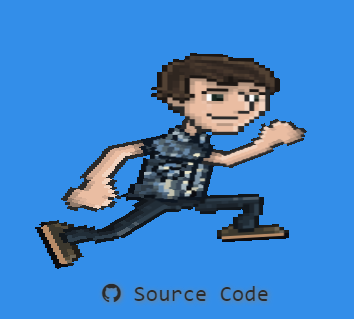
Prepare the material
The material uses the sprite-sheet texture. This example discards fragments below the chosen transparency threshold and renders both sides of the surface.
  const material = new THREE.MeshPhongMaterial({
    map: texture,
    alphaTest: 0.7,
    side: THREE.DoubleSide,
  });
Define the geometry
The geometry describes a plane using positions, UV coordinates, and indices. The UVs connect its vertices to the texture.
const geometry = new THREE.BufferGeometry();

const positions = [ -0.5, 0.5, 0,
                     0.5, 0.5, 0,
                    -0.5,-0.5, 0,
                     0.5,-0.5, 0];

geometry.setAttribute("position", new THREE.Float32BufferAttribute(positions, 3));

geometry.setAttribute("uv", new THREE.BufferAttribute(new Float32Array([0, 1, 1, 1, 0, 0, 1, 0]), 2));

geometry.setIndex([0, 2, 1, 2, 3, 1]);
geometry.computeVertexNormals();
Once the geometry and material are ready, create the mesh and add it to the scene.
mesh = new THREE.Mesh(geometry, material);

scene.add(mesh);
Organise and play sequences
The Animation constructor receives the geometry and the dimensions of the sprite grid. Each call to create registers a name, a starting frame, an ending frame, and a time interval.
 animation = new Animation(mesh.geometry, 12, 6)
 .create("run", 0, 25, 0.025)
 .create("jump", 30, 63, 0.020)
 .play("run");
play selects the sequence to run. These snippets show the API used by the original project; the repository brings together the pieces needed to run the example.
You can also explore the HTML5 2D game engine for a different rendering approach.